Chromebooks: Basic troubleshooting
October 20, 2013
Tags: 1:1, Chromebook, Student Devices, Students
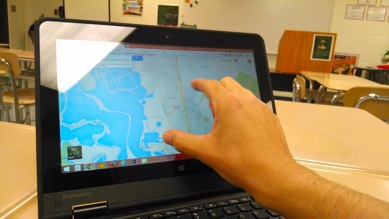
One of the great advantages of the Chromebook that students and staff members found during their review of a variety of different student devices was the incredible technological simplicity of the Chromebook. Basically, there is a checklist of three simple things to ensure that a Chromebook is working, and any student or staff member can […]
PowerTeacher Gradebook: Power Standards-How many assessments?
May 23, 2012
Tags: Gradebook, Grades, Power Standards, PowerSchool, PowerTeacher
How many assessments should each student have for each Power Standard? Statistics would suggest that it would be ideal for students to have approximately 7 assessments for each Power Standard over the course of the year, but there is no rule regarding how many assessments is the right amount for each Power Standard. The nature […]
PowerTeacher Gradebook: Power Standards–How to override
May 23, 2012
Tags: Gradebook, Grades, Power Standards, PowerSchool, PowerTeacher
How does a teacher override a Power Standard mark at the end of the year? First, near the top of the Gradebook window under the row of main navigation buttons, in the “Reporting Term” pull-down menu, select “Y1” as pictured below. Then, click on the “Final Grades” button, which is also highlighted below. Then, go […]
Chrome: Your main workspace
May 19, 2013
Tags: Chrome, Gmail, Google, Google Apps, Google Drive
A number of years ago, Google launched its own web browser, Chrome, and since that time it has become the fastest browser in the world, the second most widely used browser in the world, and the only web browser (so far) that has also become its own computer operating system (ChromeOS–which runs on Chromebooks). […]
PowerTeacher Gradebook: Power Standards–Checking student performance
May 23, 2012
Tags: Gradebook, Grades, Power Standards, PowerSchool, PowerTeacher
How does our team check our students’ overall, final performance on each Power Standard for the year? When the team has been discussing the Power Standards and their assessment throughout the year through the routine instructional planning process, creating common Power Standards assessments as a team, and analyzing the performance of the students together as […]
Chromebooks: Help requests
October 20, 2013
Tags: 1:1, Chromebook, Student Devices, Students
If the Chromebook is physically damaged (i.e., broken case, cracked screen, etc.) or if it is not working and students and teachers have tried the basic troubleshooting steps, then, it is time to contact the Tech Center with a Help Request. Teachers can enter a Help Request online or call 6283 within School District 21. […]
PowerTeacher Gradebook: Power Standards assessments without grades
September 26, 2010
Tags: Gradebook, Grades, PowerSchool, PowerTeacher
Teachers can actually mark a Power Standard on an assignment without giving any score for the academic grade on that assignment. This is also exactly how Kindergarten teachers can and should collect and enter data on the performance of their students. First, create the assignment as you normally would. Then, assign the appropriate Power Standard(s) […]
PowerTeacher Gradebook: Quick entry with the reporting term filter
January 29, 2009
Tags: Gradebook, Grades, PowerSchoo, PowerTeacher
By the middle of the trimester, there are lots of assessments that have collected in your Scoresheet in the PowerTeacher Web Gradebook. When you add a new assessment at this point, it is placed in chronological order–typically all the way over to the right side of the screen if it is the newest assessment. One […]
PowerTeacher Gradebook: Entering Power Standards on specific assignments
November 3, 2013
Tags: Gradebook, Grades, Power Standards, PowerSchool, PowerTeacher
First, it is important for teachers to remember the following points: Not all assignments in the Gradebook will have Power Standards Some assignments will have multiple Power Standards assessed for that particular assignment Entering Power Standards with a particular assignment simply requires an additional couple of steps beyond the regular entry of an assignment in […]
PowerTeacher Gradebook: Creating an assignment
November 3, 2013
Tags: Gradebook, Grades, PowerSchool, PowerTeacher
Creating an assignment to enter the scores from a particular assessment in the PowerTeacher Gradebook is fairly easy and offers lots of options to the teachers on a particular team. To create an assignment in the Gradebook, first be sure that the “Assignments” button has been clicked and is blue. (By default, the Assignments mode […]

Each District 21 school is named after an American author, and learning and literacy is at the center of our Professional Learning Community. The Modern Pen provides a collaborative location in which District 21 teachers can come together to learn the skills that will enable their students to learn new skills and to understand concepts at an even different level than before.
 Preparing all students for success