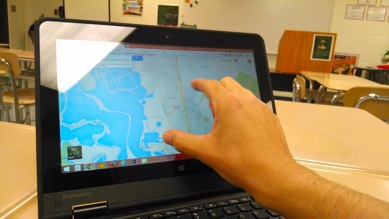
Chrome OS Apps
October 20, 2013
Tags: 1:1, Chromebook, Student Devices, Students
Chromebooks run the Chrome OS operating system developed by Google. Chrome OS is a version of Linux, and it’s primary function is to provide users with a connection to the Web and all of the services that one uses on the Internet. Chrome, the web browser, and Chrome OS both support an ever-increasing number of […]
PowerTeacher Gradebook: Weighting Assignments
November 3, 2013
Tags: Gradebook, Grades, PowerSchool, PowerTeacher
Not all assessments are equal in importance or time, and as a result, they should not appear to be such in the Gradebook. Some assessments may not count toward a grade at all. Others may prove to be very small. Many will be of some medium weight. A few will be very large, such as […]
Settings: Accessibility
October 20, 2013
Tags: 1:1, Chromebook, Student Devices, Students
While Chromebooks are more limited in many ways, at this time, than a Windows or Mac computer, there a variety of important functions already built-in to each Chromebook. Included among these are accessibility features that can help particular individuals make better use of the device. Most students will not need to use any of these […]
Settings: Writing in Multiple Languages
October 23, 2013
Tags: 1:1, Chromebook, Student Devices, Students
One amazing feature of Google Docs and Google Slides that has been discovered by CCSD21 staff members since we began using Google Apps is that Google is smart enough to know when you are writing in another language–even when your Google Apps language is set to English and when your computer is set to English. […]
Extending Chromebook Battery Life
October 23, 2013
Tags: 1:1, Chromebook, Student Devices, Students
The first set of Chromebooks purchased in School District are made by Acer. They have been purchased with a standard 16 GB SSD drive and additional RAM–4 GB. Most importantly, the extended six-cell battery has been purchased for all of these Chromebooks. This battery is estimated to provide 6.5 hours of power to the Chromebook […]
Using Chromebooks without the Internet
October 24, 2013
Tags: 1:1, Chromebook, Student Devices, Students
You now have a Chromebook. What if you do not have the Internet at home? What if you are going somewhere in which there is no Internet and you need to do some work on your Chromebook while you are there? In either case, our Chromebooks have more and more functionality even without the Internet. […]
PowerTeacher Gradebook: Overview on Entering Assignments
November 3, 2013
Tags: Gradebook, Grades, PowerSchool, PowerTeacher
What are we assessing? The first step to entering assignments is knowing what the assignments are. The move to using the Power Standards as a focus and guide, the inclusion of the Learner Qualities in our assessment system, and our efforts to differentiate instruction based on student performance all will cause us to take a […]
PowerTeacher Gradebook: Categories
November 3, 2013
Tags: Gradebook, Grades, PowerSchool, PowerTeacher
Before creating assignments in the PowerTeacher Gradebook, a team must create Categories. One cannot create an assignment without applying a Category to that assignment. The purpose of Categories in the PowerTeacher Gradebook is to provide your team with a basis for analyzing student performance in different categories of assessments! With the inclusion of standards as […]
Grade Scales
November 3, 2013
Tags: Gradebook, Grades, PowerSchool, PowerTeacher
The following grade scales are currently in use for different students in School District 21. These grade scales are listed below. Academic Grade Scale – Grades 3-8 Academic Grade Scale – Grades 1-2 Academic Grade Scale – Kindergarten Learner Quality Scale – Grades 6-8
Student course assignments & English Language Learners
November 6, 2013
Tags: ELL, Gradebook, Grades, Power Standards, PowerSchool, PowerTeacher, Report Cards
As part of School District 21’s long-term focus on student learning and the implementation of our Professional Learning Community, all students in School District 21 are enrolled in courses that meet their needs within their instructional programs. Additionally, all students are the responsibility of all teachers on the team. Taken together, these points have resulted […]

Each District 21 school is named after an American author, and learning and literacy is at the center of our Professional Learning Community. The Modern Pen provides a collaborative location in which District 21 teachers can come together to learn the skills that will enable their students to learn new skills and to understand concepts at an even different level than before.
 Preparing all students for success